Skip to content

ashdub. Garage · websites and workshop software

Your garage website, and the workshop behind it.

AshDub builds the premium website your customers start from, with registration look-up, services and enquiries, and the Garage app your team runs the day in: estimates, approvals, job cards and customer updates. One partner, one platform.

Logging in happens on auto.ashdub.com, the system that checks your password. This site never asks for it.
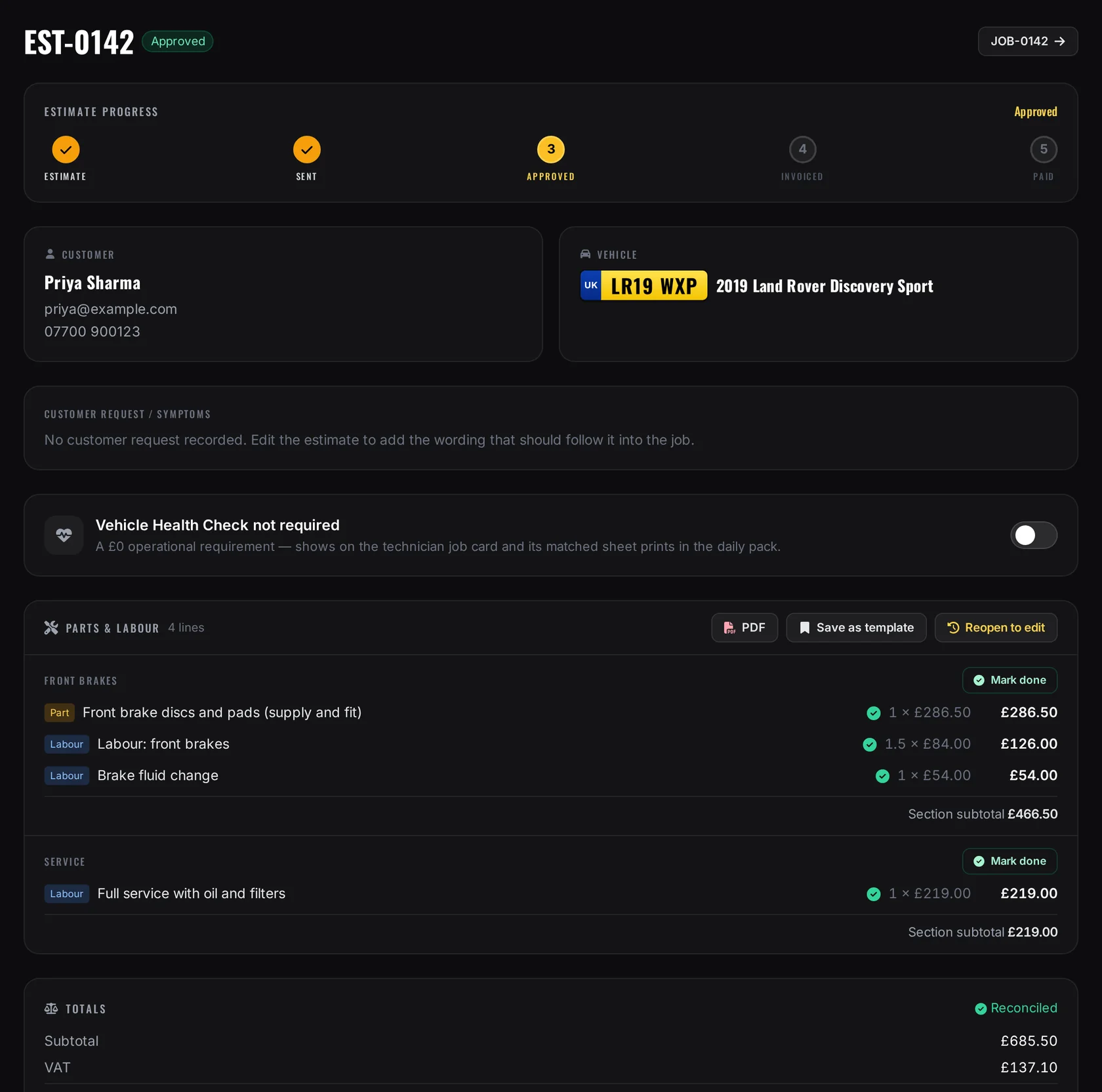

An ashdub. Garage estimate marked approved: progress from estimate to sent to approved, the customer and their Land Rover by registration, and front brake and service lines of parts and labour with a reconciled grand total.
The His & Hers Motors website on a phone, built by AshDub: the official His and Hers logo, a menu button and a Land Rover in the workshop under the headline Quality service with a personal touch.A garage website built by AshDub
  1. Website enquiry for LR19 WXP
  2. Estimate approved by the customer
  3. Job card printed for the bay
A live AshDub garage website, and a real ashdub. Garage screen shown with sample data.

01 · Website to workshop

One platform, both sides of the counter

Your customers start on your website. Your team picks it up in Garage.

We build your garage's public website, registration first, and connect it to the workshop: the customer gives their registration, picks a service and leaves a message, and the garage receives one useful enquiry, ready for the next workshop step.

  1. 01Your website

    Book your car in

    Your registrationLR19 WXPWhat do you need?MOTServiceBrakesDiagnosticsGrinding from the front when braking. Tuesday morning suits me.Happy to be contacted by email about this enquirySend enquiry
  2. 02The vehicle

    LR19 WXP

    Land Rover Discovery Sport

    Make
    Land Rover
    Model
    Discovery Sport
    Year
    2019
    Fuel
    Diesel
    Colour
    Black
    MOT
    Valid to 14 Mar 2027

    Sample data, showing only the fields the public registration look-up returns. Illustration, not a photograph.

  3. 03The enquiry the garage receives

    New website enquiry

    Customer
    Priya Sharma
    Registration
    LR19 WXP
    Vehicle
    Land Rover Discovery Sport, 2019
    Service
    Brakes
    Message
    Grinding from the front when braking
    Contact
    Email, with consent

    Sample enquiry. Website enquiries are saved in the garage's AshDub enquiry record.

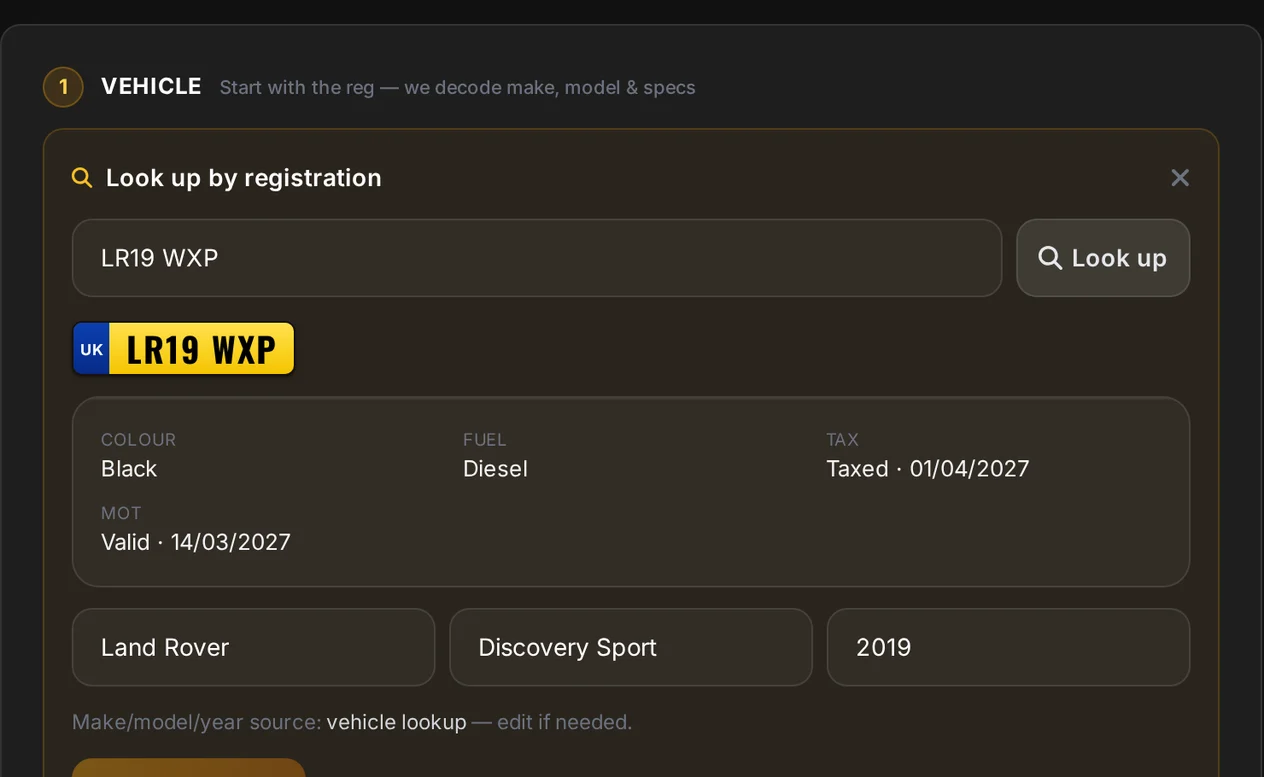
    Creating a job card in ashdub. Garage: the registration LR19 WXP looked up, with colour, fuel, tax and MOT shown and make, model and year filled in as Land Rover, Discovery Sport, 2019.
    In Garage, the same registration fills the job
  1. Live today

    Your garage website

    Built and hosted by AshDub, with services, gallery, careers and enquiry pages you can edit.

  2. Live today

    Registration first

    The public look-up shows the vehicle, with a manual option when it can't.

  3. Live today

    One useful enquiry

    The registration, vehicle, service and message arrive together in your AshDub enquiry record.

  4. Set up with you

    Into the workshop

    We connect the journey with you, so the front desk carries the same details into Garage instead of retyping them.

Turning a website enquiry into a Garage customer, vehicle and job isn't automatic today. We set up how the details move for each garage, and the front desk confirms them.

The working day in 56 seconds

Product film

One job, from the garage website to a finished car.

Every screen is the real product today, shown with sample data: the customer's registration, the front desk, the estimate, one thread of messages, the approval, the job card and the paperwork that follows.

ashdub. Garage — one job, from the garage website to a finished car (56 seconds, captioned, no sound)

Read what the film shows
  1. 0:00ashdub. Garage — One job, from the garage website to a finished car. — Real product screens with sample data. No narration.
  2. 0:0508:05 · On the garage website — The customer starts with their registration. — His & Hers Motors, a live AshDub garage website.
  3. 0:0908:05 · Vehicle facts — Bounded vehicle facts come back. Nothing more. — Make, model, year and colour, with a manual route when the look-up can't answer. Sample answer for this film.
  4. 0:1308:12 · At the front desk — The desk recognises the customer and looks up the same registration. — Website enquiries land in the garage's AshDub record; how they carry on into Garage is set up with each garage.
  5. 0:2008:30 · The estimate — Labour and parts in sections, started from a saved service template. — Reconciled with VAT before it's sent.
  6. 0:28All day · One thread — Email, SMS and WhatsApp from the job, with the calls your team logs. — Calls are made from your own phone and logged; Garage doesn't place or record them.
  7. 0:3511:40 → 12:12 · The decision — Approved line by line on the customer's phone, and written onto the estimate. — The customer's choices and signature are kept in the estimate's history.
  8. 0:4312:20 · The bay — A job card the technician can work from. — Printed from the job, with no prices on the workshop copy.
  9. 0:47Every day · Paperwork in bulk — A day's job cards as one PDF. Several jobs moved at once. — Print a day or a date range from the diary; select jobs to change status, assign or schedule them.
  10. 0:51Afterwards · Invoice — Approved work converts to an invoice with its lines. — Tracked through to paid on the estimate.
  11. 0:54ashdub.com/garage — Your website and your workshop, from one team. — Log in, or talk to AshDub.

Captured from the live His & Hers Motors website and the current ashdub. Garage app with sample data. The registration look-up answer is sample data, no message was sent and no customer is real. No narration; the captions carry the words.

02 · Our latest garage on AshDub

Case study

Meet His & Hers Motors.

An independent Jaguar and Land Rover specialist in Reading, now running its public website on AshDub. It's a distinctive multi-page site of the garage's own, built around a registration-first booking journey.

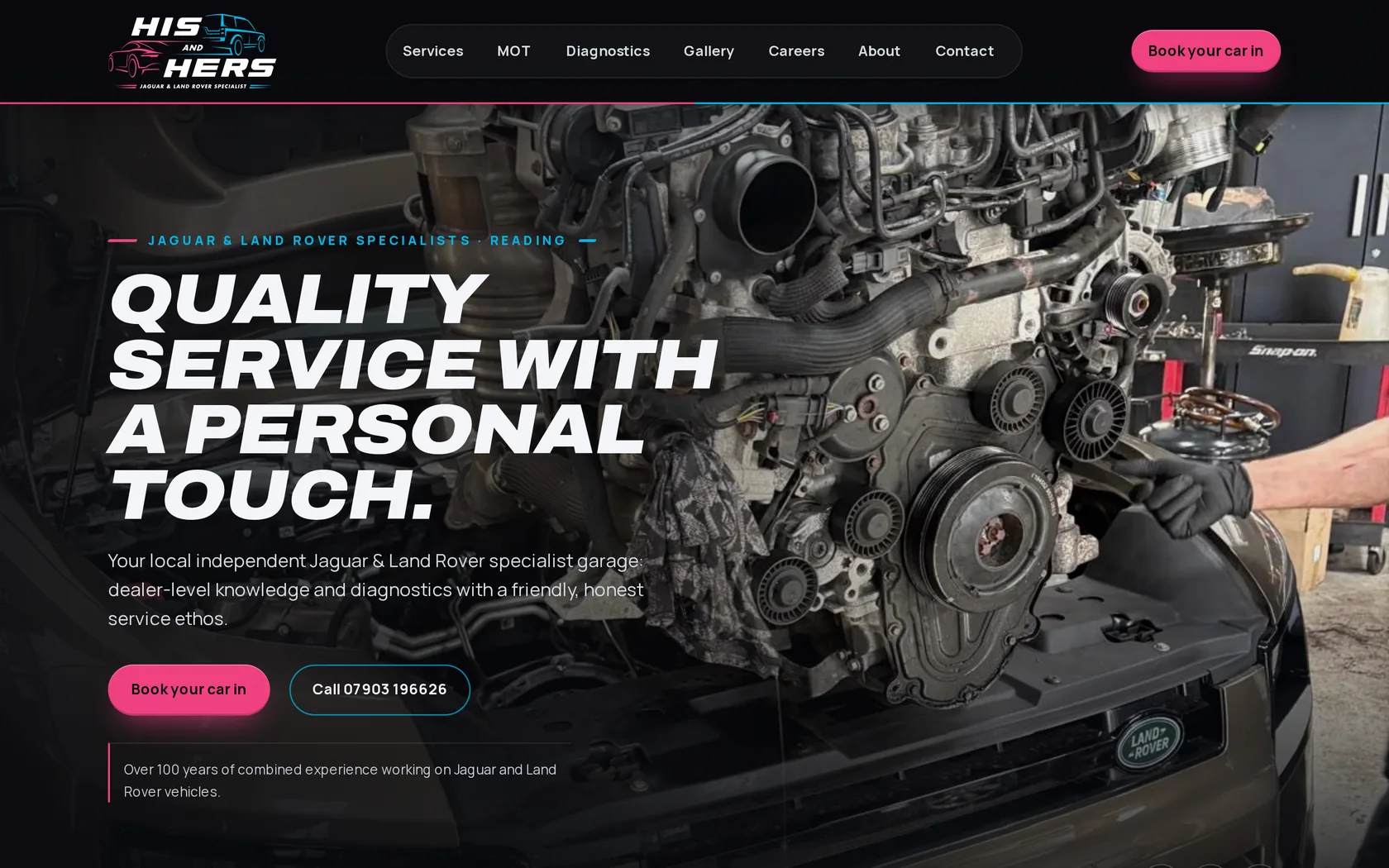
The live His & Hers Motors home page: the His and Hers logo, menu links for Services, MOT, Diagnostics, Gallery, Careers, About and Contact, a Book your car in button and the headline Quality service with a personal touch over a Land Rover in the workshop.
Live at ashdub.com/his-and-hers-motors
  1. A site of their own

    Services, MOT, diagnostics, gallery, careers, about and contact pages in the garage's own brand.

  2. Registration look-up

    Customers start with their registration, with a manual route when the look-up can't answer.

  3. Enquiries that land properly

    Booking and contact enquiries are saved in AshDub, where the garage reads them.

  4. Theirs to edit

    Every page is an editable AshDub page, not a fixed template.

See His & Hers Motors

Opens the live site in this tab.

His & Hers Motors is an independent specialist, not affiliated with Jaguar or Land Rover.

03 · The front desk

A working day

From the first call to a decision, in one flow.

The customer, the vehicle, the estimate and every conversation land on one job, so the person at the desk always knows where things stand.

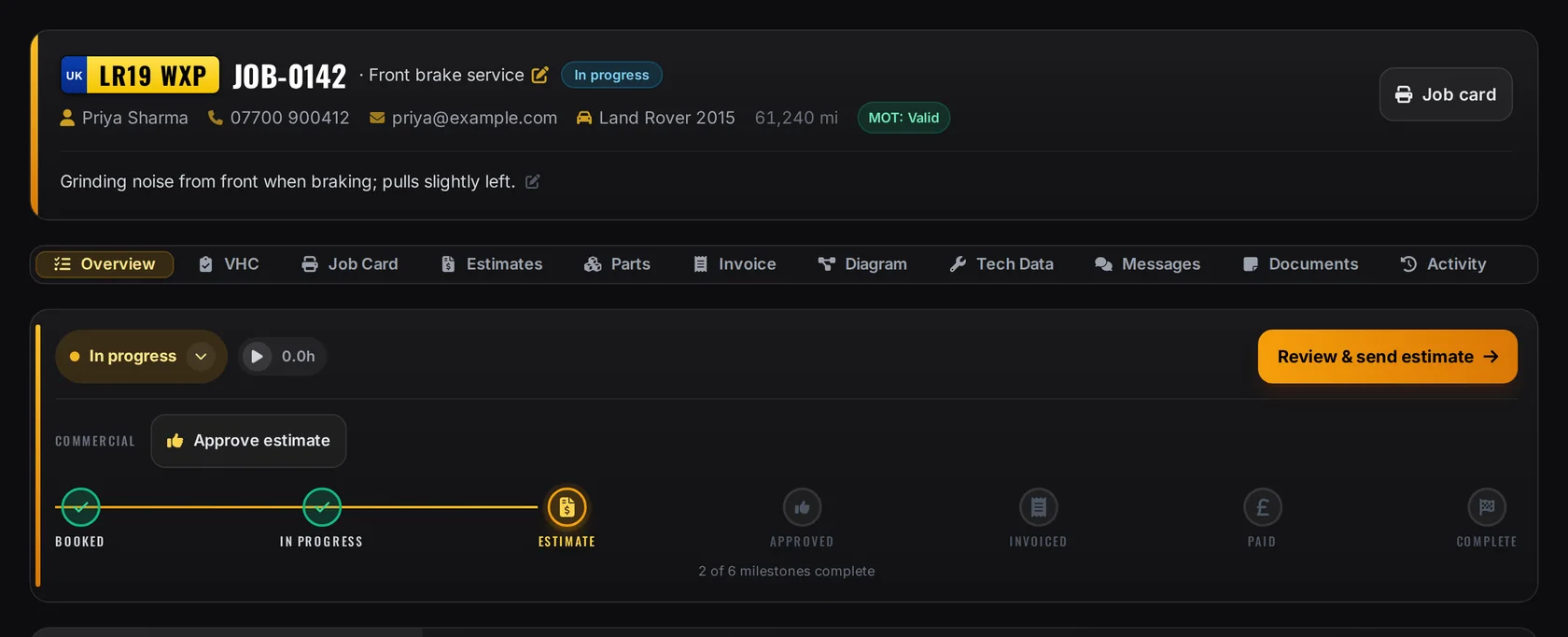
A job in ashdub. Garage: the registration, job number and customer's phone and email in the header, MOT status, a Review and send estimate action and the job's milestones from booked to complete.
The job, as the front desk sees it
  1. 08:05

    The phone rings

    Tap the customer's number from the job, then log what was agreed so the next person knows.

  2. 08:15

    Into the diary

    Give the job a lane and a time, or leave it in the unassigned queue until a bay is free.

  3. 08:30

    The estimate

    Labour and parts in sections, started from a saved service template and reconciled with VAT.

  4. 11:40

    The decision

    Email the estimate with a secure approval link and see the answer on the job.

04 · 11:40 → 12:12

Estimate and approval

One estimate. Both sides of the same yes.

Your customer opens the estimate on their phone, approves or declines each line and signs. The decision is written onto the estimate your team is looking at.

  1. Estimate emailed
  2. Customer reviews each line
  3. Signs and confirms
  4. Approved on the estimate
  5. Ready to invoice
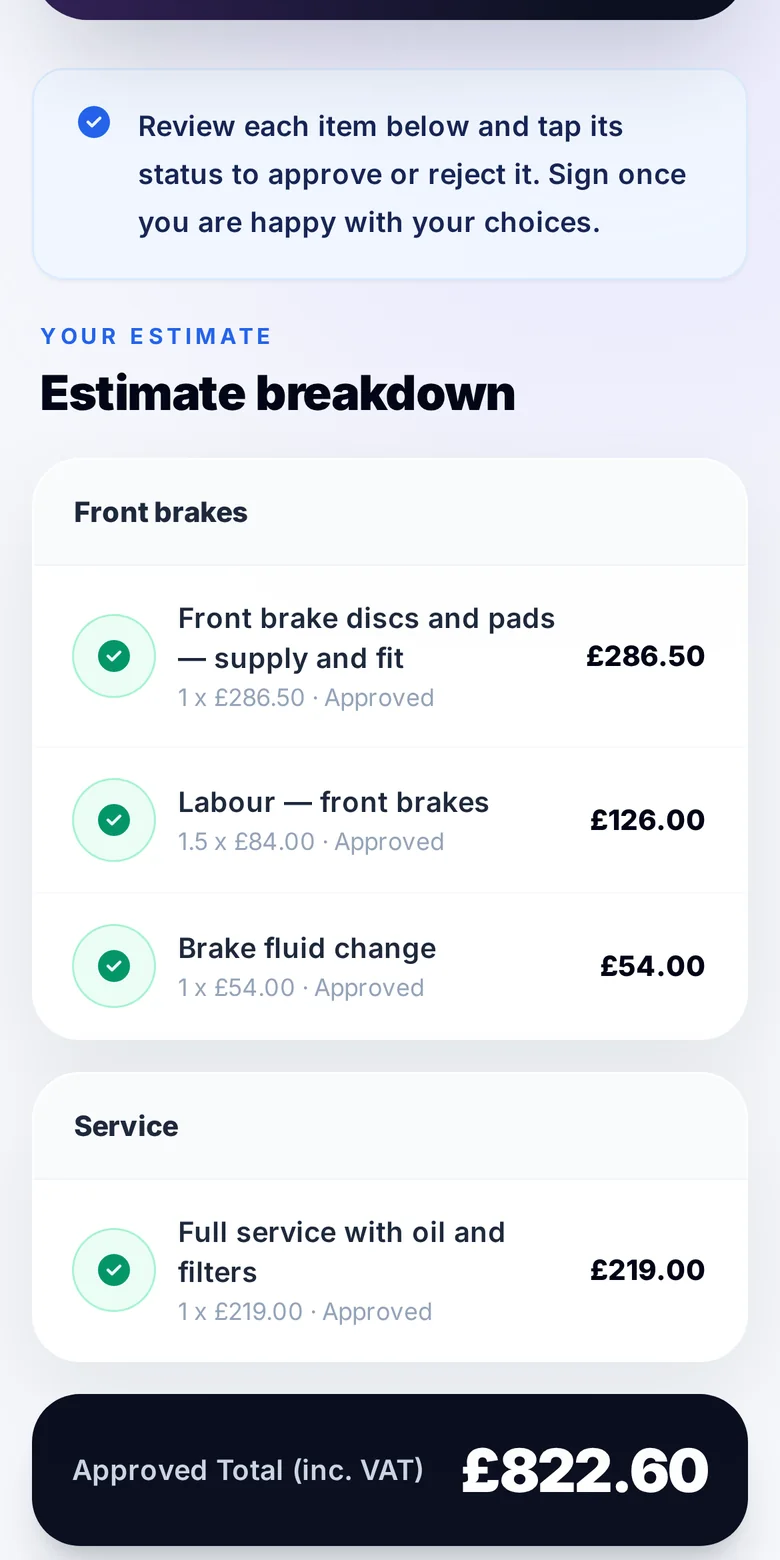
The customer's approval page on a phone: estimate breakdown with front brake and service lines, each marked approved, and the approved total including VAT.
What the customer sees
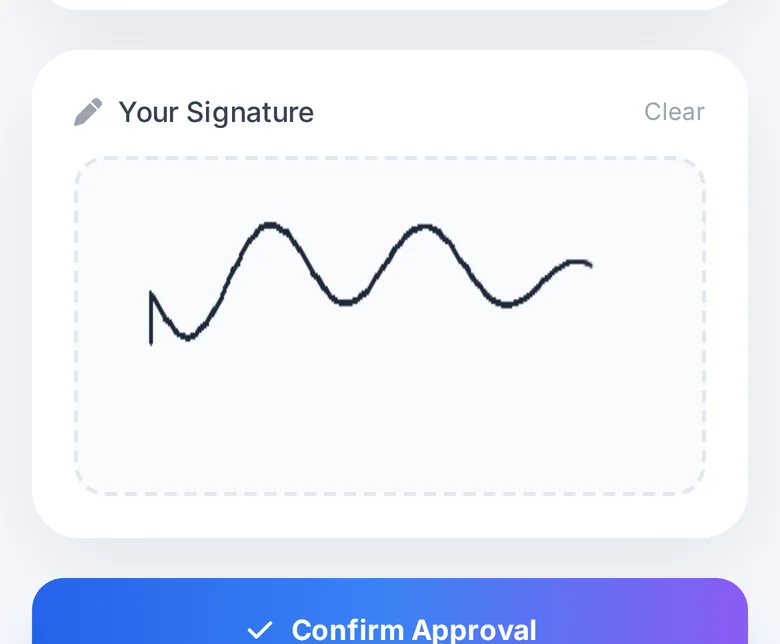
The signature pad with the customer's signature and the Confirm Approval button.
Signed on the phone
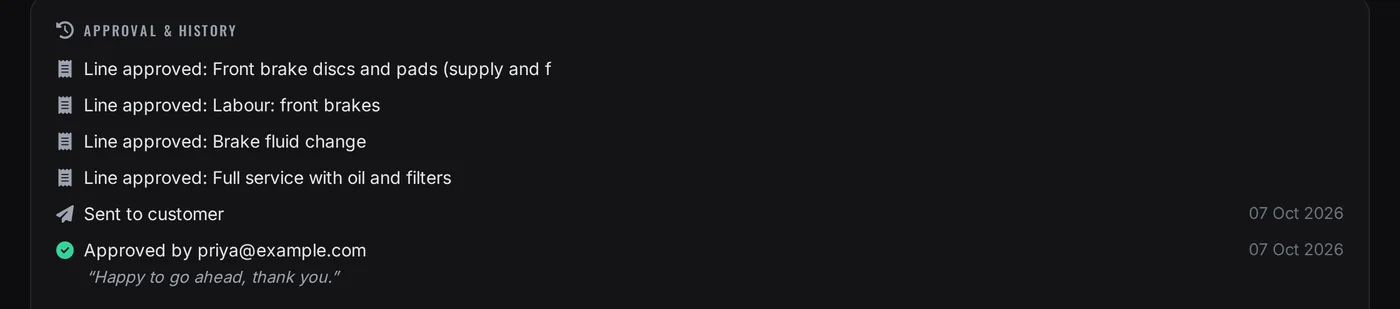
The estimate's approval history in ashdub. Garage: each line approved, sent to the customer and approved by the customer with their note.
What your team sees
  1. Line by line

    Customers approve or decline each item, so the bay knows exactly what to do.

  2. Signed and recorded

    The decision, signature and any note are kept in the estimate's history.

  3. No re-keying

    Approved work carries on into the job, and an approved estimate converts to an invoice with its lines.

05 · All day

The customer stays informed

Fewer chases. One conversation on every job.

Emails, texts and WhatsApp messages sent from the job sit in one thread with the calls and notes your team logs, so anyone can pick up where the last person left off.

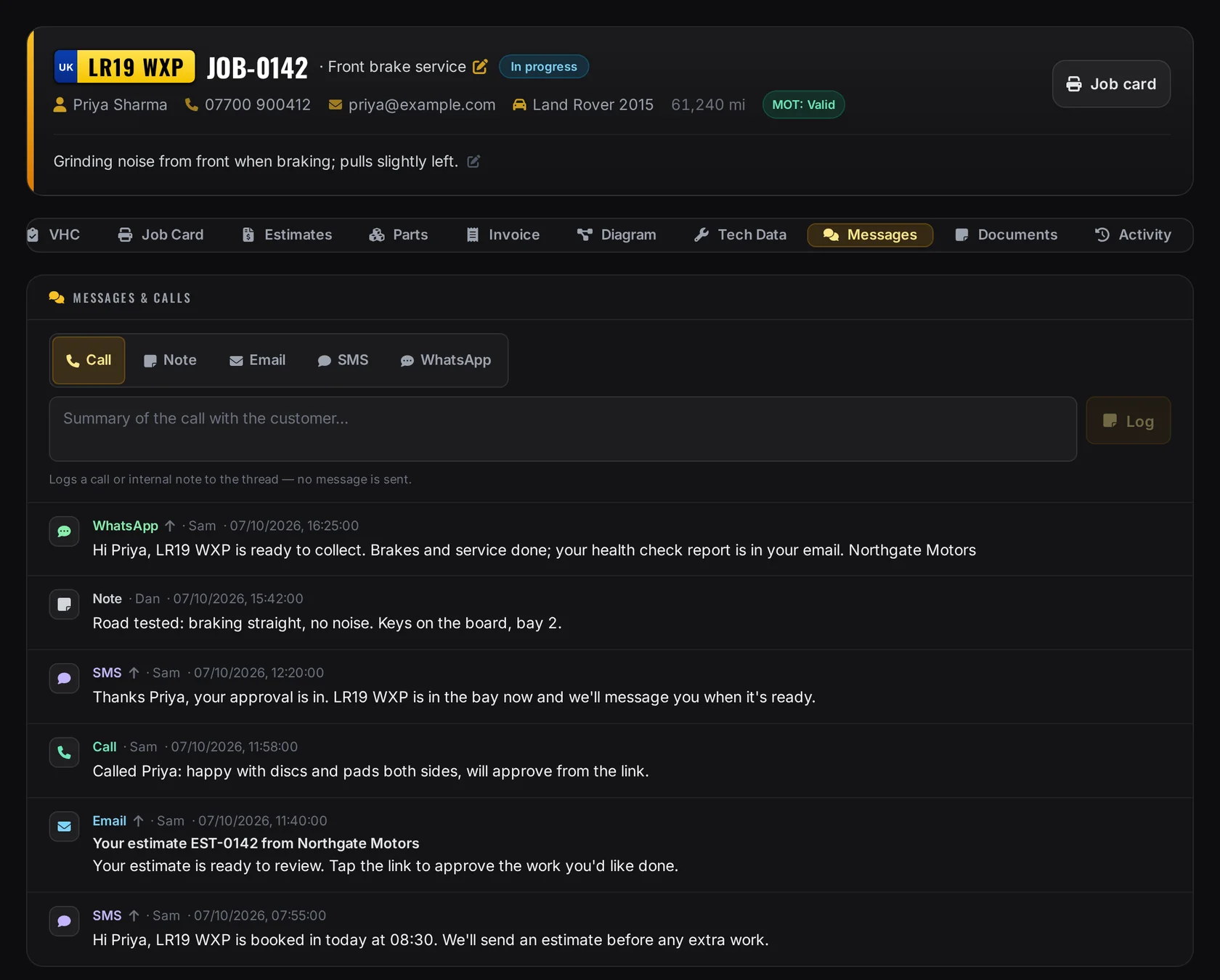
A job's Messages and calls tab: a composer for call, note, email, SMS and WhatsApp, and one thread with a WhatsApp ready-to-collect message, a technician's road-test note, an SMS confirming the approval, a logged call, the emailed estimate and the booking text.
One job, one thread
  1. Email

    The estimate with its approval link, and updates when you need them in writing.

  2. SMS

    Booking and progress texts, sent from the job.

  3. WhatsApp

    Updates sent from the job once WhatsApp is connected for your garage.

  4. Phone

    Tap to call from the job, then log the call. Garage doesn't place or record calls.

Messages are sent through the email, SMS and WhatsApp services set up for your garage. Replies to texts aren't collected in the thread.

06 · 12:20

The bay gets a clean job

A job card the technician can work from.

Print the job card from the job: the customer's words, the vehicle, the work to do and space to sign off, with no prices on the workshop copy. The health check is recorded on a phone at the car.

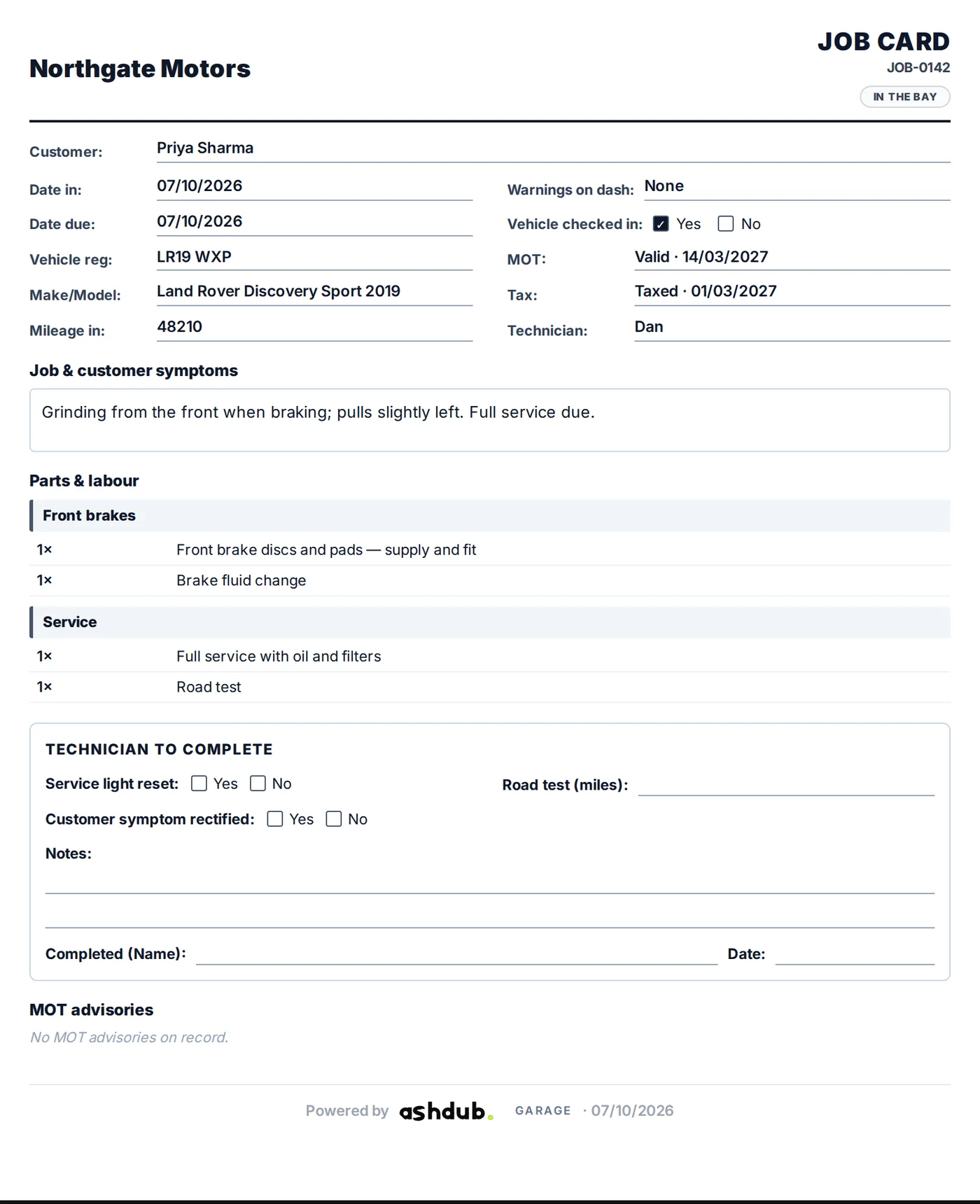
A printed ashdub. Garage job card: customer, registration, make and model, mileage, MOT and tax status, the customer's symptoms, the work by section and a technician sign-off box, with no prices.
The workshop copy
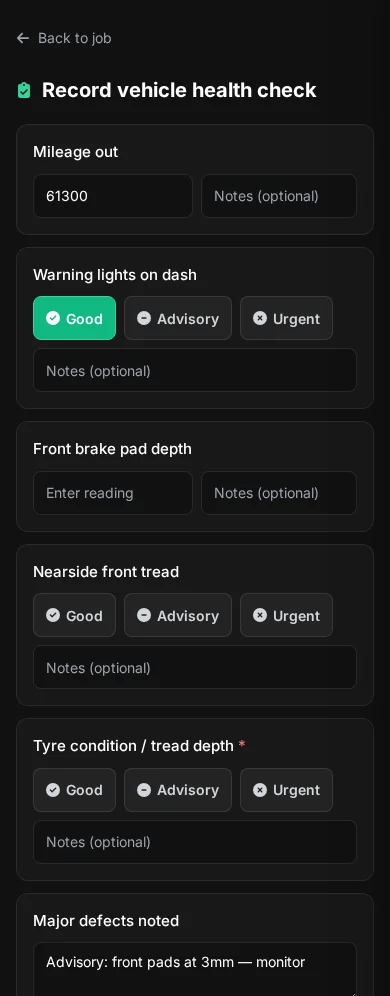
Recording a vehicle health check on a phone with good, advisory and urgent choices for each item.
Checked at the car
  1. Print-ready job card

    One tap from the job, laid out for the workshop wall or clipboard.

  2. Health check at the car

    Each item rated good, advisory or urgent from a phone.

  3. Straight to their day

    Technicians land on their own view when they sign in.

07 · Every week

Repeat work without repeat admin

Price it once. Run it many times.

Save the jobs you quote every week as service templates, act on several jobs at once, and print a whole day's job cards in one go.

  1. Select jobs
  2. Choose an action
  3. Done for every job
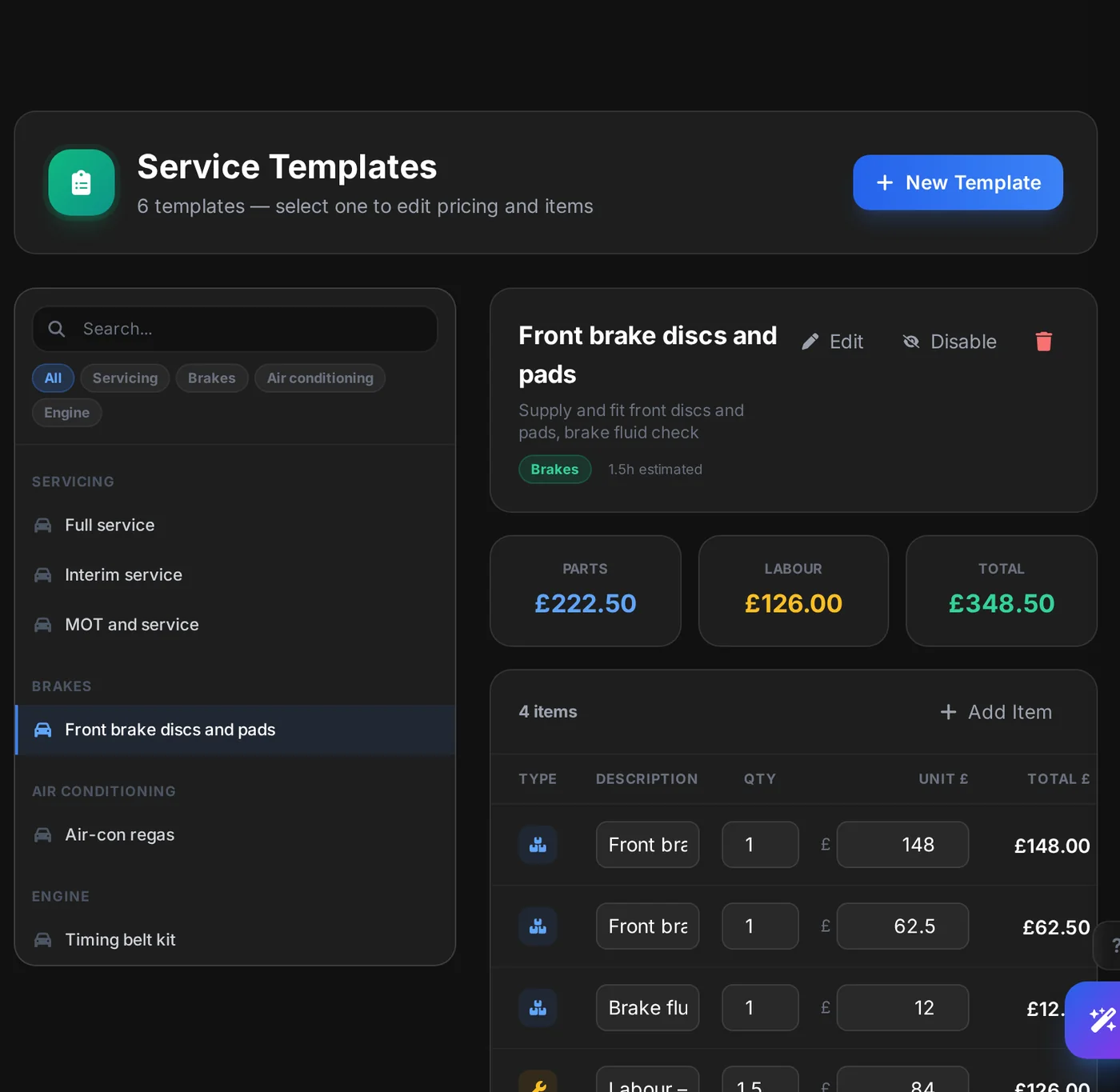
Service templates in settings: templates grouped by servicing, brakes, air conditioning and engine, with the front brake template open showing parts, labour and its total.
Service templates
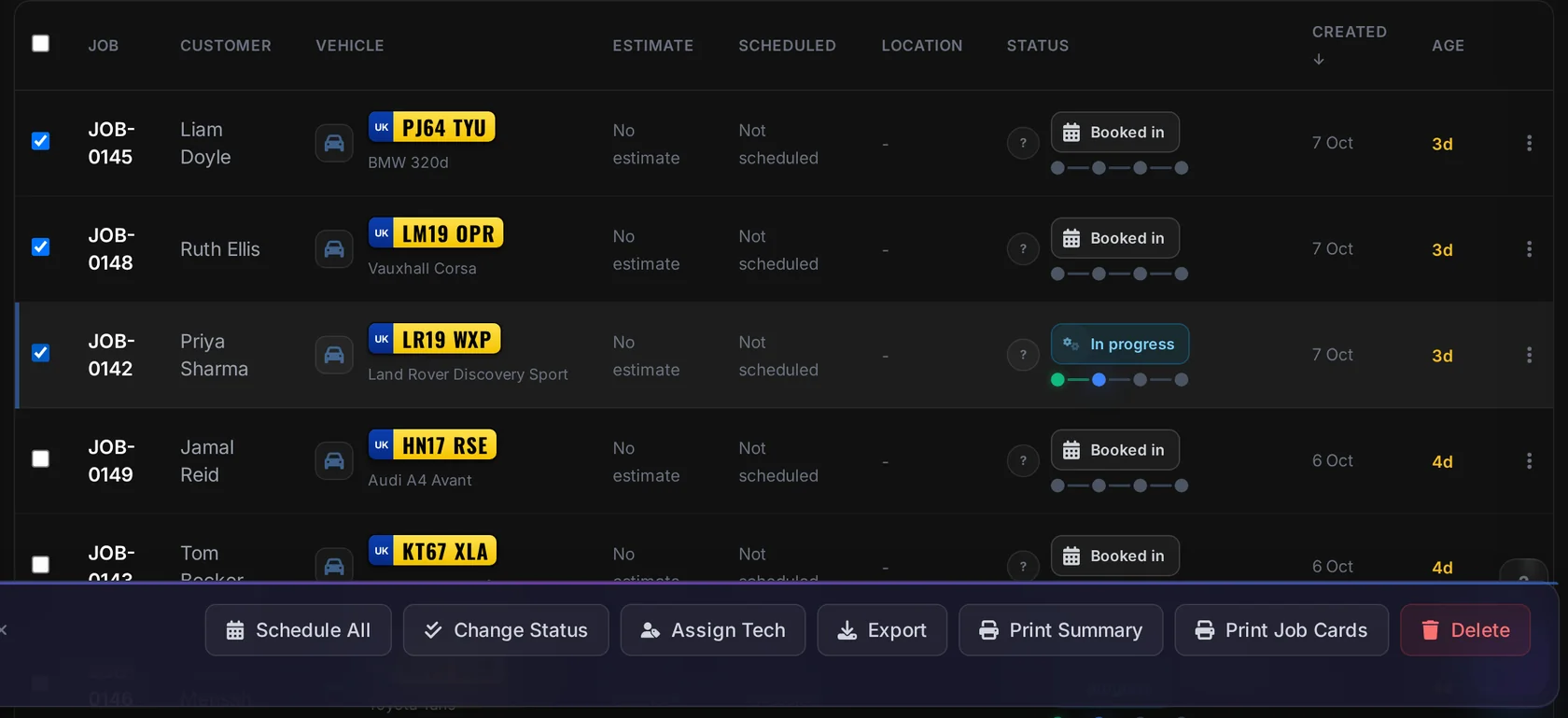
The jobs list with three jobs selected and the bulk bar offering Schedule all, Change status, Assign tech, Export, Print summary and Print job cards.
Three jobs, one action
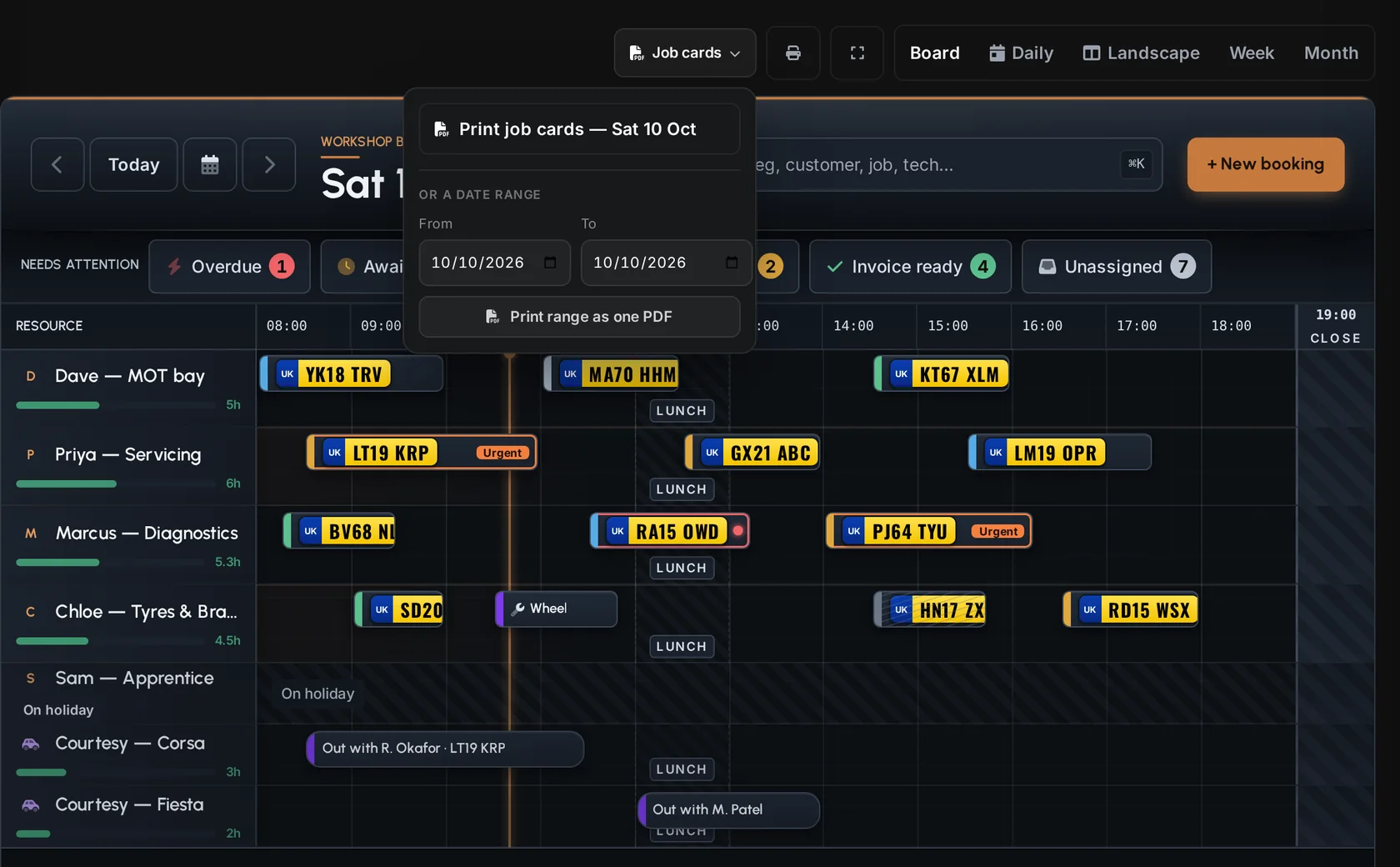
The workshop diary with technician and courtesy-car lanes, and the Job cards menu open to print the day's job cards or a date range as one PDF.
The day's job cards
  1. Service templates

    Parts and labour priced once and reused on every estimate.

  2. Bulk actions

    Select jobs to change their status, assign a technician or schedule them together.

  3. A day of job cards

    Print one day, or a date range, as a single PDF from the diary.

08 · 16:25

Happy, informed customers

Clear approvals make for easy collections.

Customers see exactly what they're agreeing to, approve it from their phone and hear from you when the car is ready. Your team sees the same record, so nobody has to ask what was agreed.

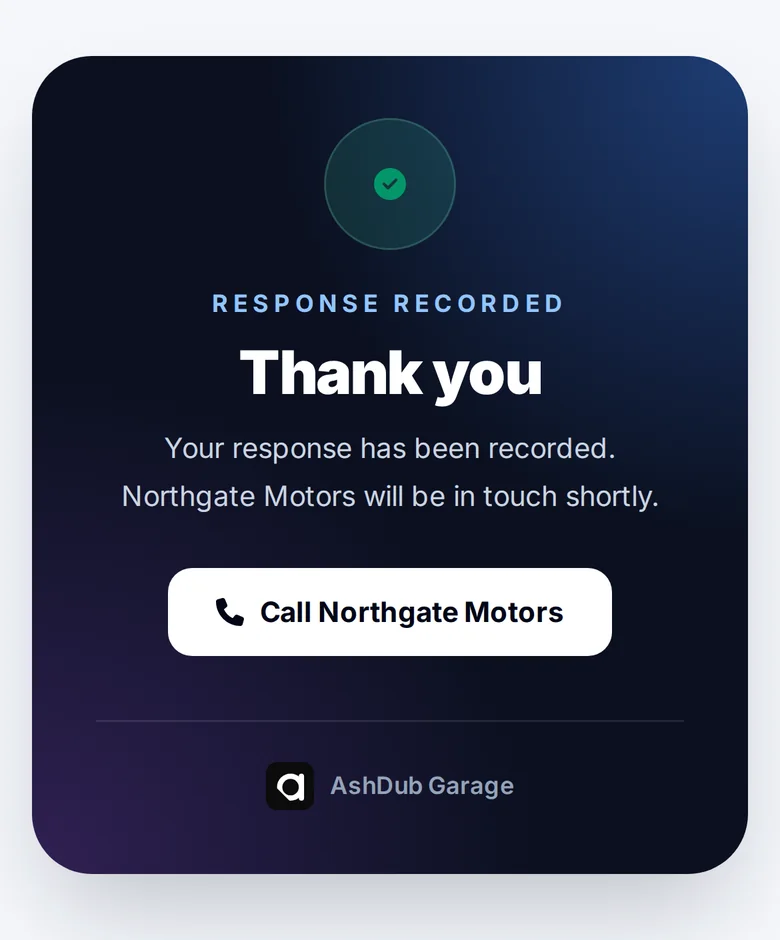
The customer's confirmation after approving: Response recorded, thank you, the garage will be in touch, with a button to call the garage.
After they approve
  1. What the customer gets

    Every line and the total before any work, a clear approve or decline, and a way to call you.

  2. What your team keeps

    The decision, the signature and every message on the job.

  3. Where it comes from

    Built and run in a working UK independent garage, not a demo.

Your next step

Your website and your workshop, from one team.

Tell us about your garage and we'll show you the website and the workshop side with your day in mind. Already on Garage? Log in on auto.ashdub.com.

Questions

Good to know.

Is this the same system I log in to?

Yes. ashdub. Garage is the workshop system at auto.ashdub.com. This site introduces it, and Log in takes you straight there.

Can AshDub build our website too?

Yes. AshDub builds and hosts garage websites on the same platform, and His & Hers Motors is the latest. Website enquiries arrive in your AshDub enquiry record with the registration and the customer's message; how they carry on into Garage is set up with you.

Which messages can Garage send?

Email, SMS text and WhatsApp messages from the job, once those services are set up for your garage. Calls are made from your own phone; Garage lets you tap the number and log what was said, and it doesn't place or record calls.

Why does logging in open auto.ashdub.com?

So your password and two-step sign-in are only ever typed on the system that checks them. ashdub.com never sees them.

Are these real screens?

Yes. They are captured from the product and shown with sample workshop data, so no real customer appears. Illustrations on the How it works page are labelled as such.

Does it work on phones and tablets?

Yes. The board, jobs and messages are laid out for phones and tablets as well as the desktop, and technicians work from a phone in the bay.

How do I get started?

Talk to AshDub and we'll walk you through it with your workshop in mind, or create your workshop on auto.ashdub.com when you're ready.